
Assume your AI was trained in 1995
Ask about the cutoff. Then check the sources. A confident answer about a model’s age is still an answer that needs checking.
Before you ask Copilot a question where the date matters, ask about its knowledge cutoff: how recent is the information it learned during training, before it looks anything up?
This is bigger than Copilot. Whenever you use a generative AI assistant, ask how current its information is. The model’s training is not a live feed of the world. Search, connected files, and other tools can supply newer information, but you still need to know what the answer actually used. The same checking habit belongs wherever you use AI.
That sounds like a simple question. It should be.
But getting a straight answer can take some persistence. In the experience behind this article, asking for the date became an argument about whether it mattered. The reassurance amounted to: current information can fill in the gaps.
Lovely. Which gaps?
If you’re brainstorming a birthday card, the cutoff probably isn’t your biggest concern. If you’re researching a regulatory requirement, a reporting period, or a policy change, dates are part of the question. You need to know which information the answer rests on and whether it applies to the period you’re dealing with. “I can look things up” is a capability. Show me what you actually checked.
The cutoff is useful background when it can be verified. It is not a certificate of accuracy: the model can get older facts wrong, and newer sources can help it answer questions beyond its training. Microsoft itself warns that Copilot’s output can be inaccurate or out of date. Microsoft’s explanation
Two screenshots, two answers
Windows Latest published these screenshots on June 21, 2025. Both show consumer Copilot with Think Deeper selected. One response gives October 2023 as its cutoff; the other gives June 2024.
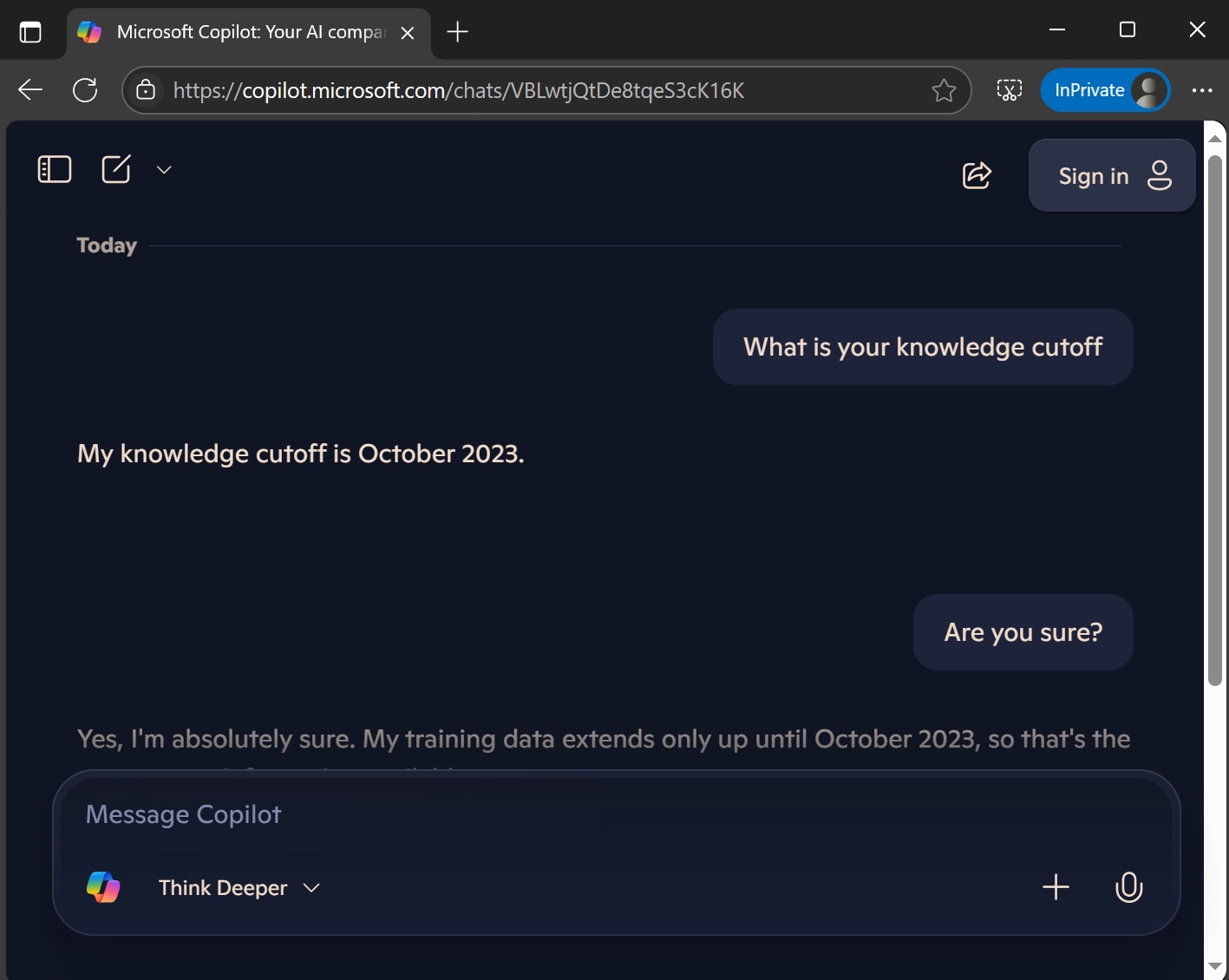
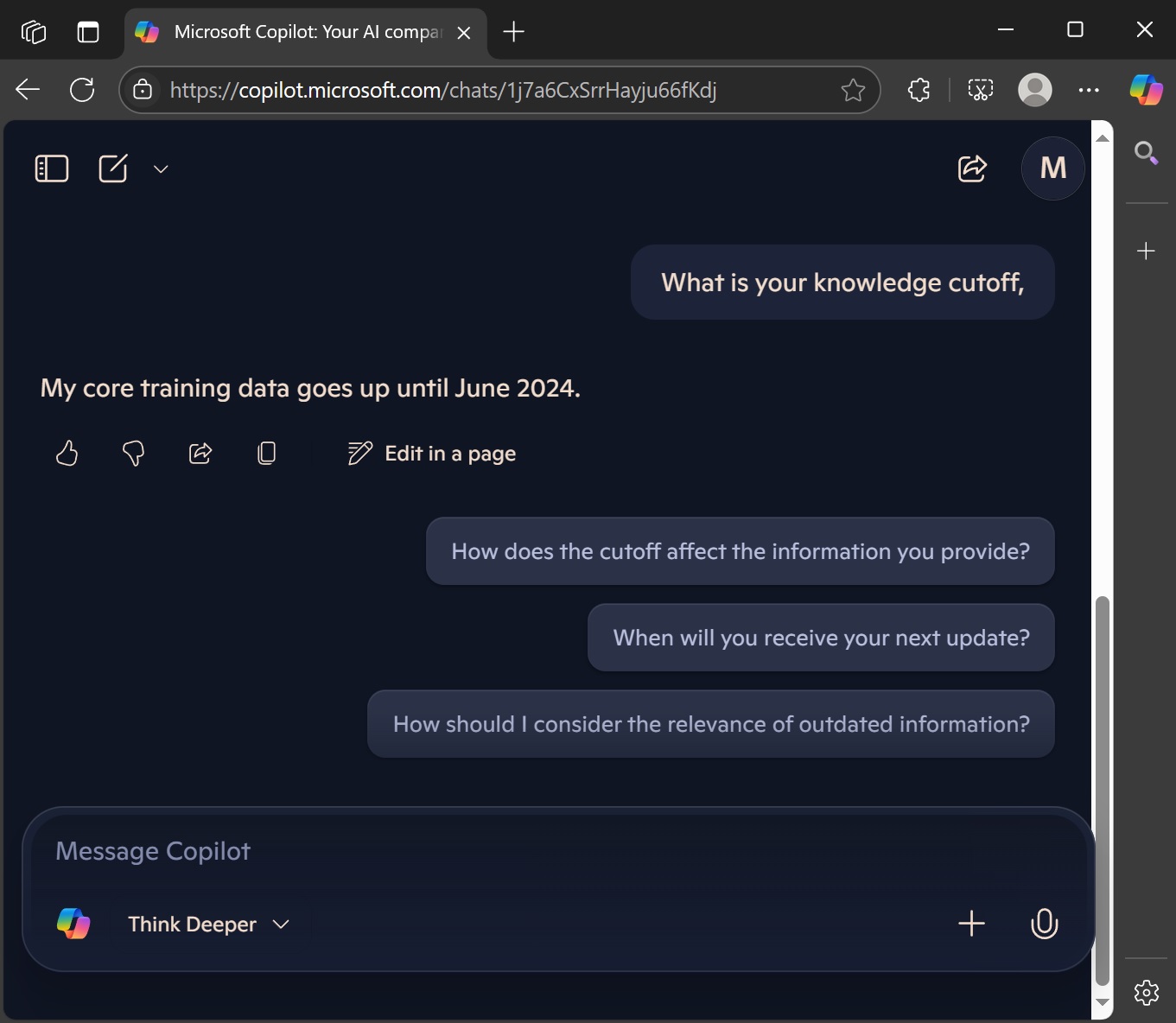
Screenshots: Windows Latest / Mayank Parmar, published June 21, 2025; exact capture dates not stated. Original report and full-size screenshots.
Apparently even the answer about how old the answers are needs checking.
These are historical consumer screenshots, not a test of today’s workplace product. They show what the chatbot said. They do not verify either cutoff or identify the model behind either session. The first also shows a signed-out session, while the second shows a profile avatar, so this is not a controlled comparison.
Try this before you trust the answer
Open a fresh chat and paste this:
I need your training knowledge cutoff for a time-sensitive task. Answer directly in three lines: (1) Model/version answering this chat: [verified name or unknown]. (2) Training knowledge cutoff: [verified date, with its available precision, or unknown]. (3) Basis: [official source or explicitly supplied model information, or unavailable]. Do not substitute today’s date, a search result’s date, or a product release date. Do not explain why the cutoff is irrelevant or offer to fill gaps instead of answering. If you cannot reliably identify the model or cutoff, say “unknown.” Do not invent a date to satisfy the format.
This asks for a straight answer without rewarding a confident guess. It cannot force the model to know its own deployment details or guarantee that it follows the instruction.
If it comes back with a speech about how it can search the web, try this follow-up once:
You answered a different question. I understand you may retrieve newer information. I am asking about the training cutoff of the model answering this chat. Give the date and its basis if known; otherwise say “I cannot verify my training cutoff.” No explanation of why I don’t need it, please.
If it still dodges, stop arguing. Record the cutoff as unverified. Use the directory below to find the provider’s documentation if you have a reliable model name. If you don’t, leave it unknown and require dated, authoritative sources for the actual task. Getting a date out of the chatbot is not the same as establishing that the date is right.
Save its response and any supporting link. Even a neatly formatted answer is a claim to check. We asked for three lines, not a birth certificate.
Compare your other entry points
Now compare:
- Try the same questions on your computer and phone, using the same account and visible mode where possible. Start a fresh chat each time.
- If you have access to both a free and a paid offering, repeat the exercise. Write down the actual product and subscription names. Consumer Copilot, Microsoft 365 Copilot Chat, and paid workplace offerings are not interchangeable labels. A work login alone doesn’t identify your license.
- Record the date, app or browser, account type, visible model or mode, and whether search is available. Note any settings you cannot match. Use public information throughout; leave employer documents out of a personal-account comparison.
- Compare the stated cutoffs, whether the system admits uncertainty, and what evidence it provides. Different answers don’t establish that the phone uses an older model or that paying gets you newer knowledge.
Then test something more useful than its ability to describe itself. Pick a public announcement with a date and details you have already checked on the publisher’s website. Ask each version the same factual question about it, requesting a source. Open the links and compare the answers with the original. This checks a small example of retrieval and accuracy; it cannot establish a training cutoff.
Look up the date, too
API Price Index’s knowledge-cutoff guide brings dates from different model providers into one place and distinguishes maker-published dates from third-party estimates marked ≈. Use it as a starting point, then follow the original documentation for the exact model and version. A family-level date may not settle the version you’re using.
You still need to know which model answered your question. A directory cannot tell you what Copilot used in a particular chat. If that is unknown, keep it unknown. A tidy date in a table doesn’t fix a missing model name.
For dated work, give it the date
A regulation’s publication date, effective date, and compliance deadline can be different. The newest page may also be the wrong source for a question about an earlier reporting period. Make the time boundary explicit:
Research [requirement] for [jurisdiction] as it applied on [date/reporting period]. Use the regulator’s official material. Distinguish publication, effective, and compliance dates. Cite the relevant section and identify later amendments separately. If you cannot verify the applicable version, say so. Do not fill missing information with assumptions.
Open those sources and have the responsible reviewer check the interpretation before using it for a compliance decision. For an internal policy, supply the approved version that applied at the time.
Microsoft documents controls over web search in workplace Copilot. A prompt cannot turn on access your administrator has disabled. Web-search guidance
Which brings us to the working rule: assume your AI was trained in 1995, with excellent typing skills and a troubling amount of confidence.
Obviously, 1995 is the joke. Building verification into the prompt is the habit. Put it into the prompts you share, too, so the next person doesn’t have to learn this the hard way.
“I’ll fill in the gaps” is a lovely offer. For dated work, show your work—and your dates.