
You clicked “Request access.” You thought that meant something.
Request access and Request more have a destination. That still leaves the question of who can actually say yes.
You find Cowork inside the software your organization gave you. It looks useful. You have a task in mind. You click “Request access.”
Of course you think you have officially requested access. You clicked the company's software, not a classified ad. You weren’t volunteering to investigate your organization’s purchasing structure.
But a button can look official without being connected to the people who make the decision.
It’s right there in the app
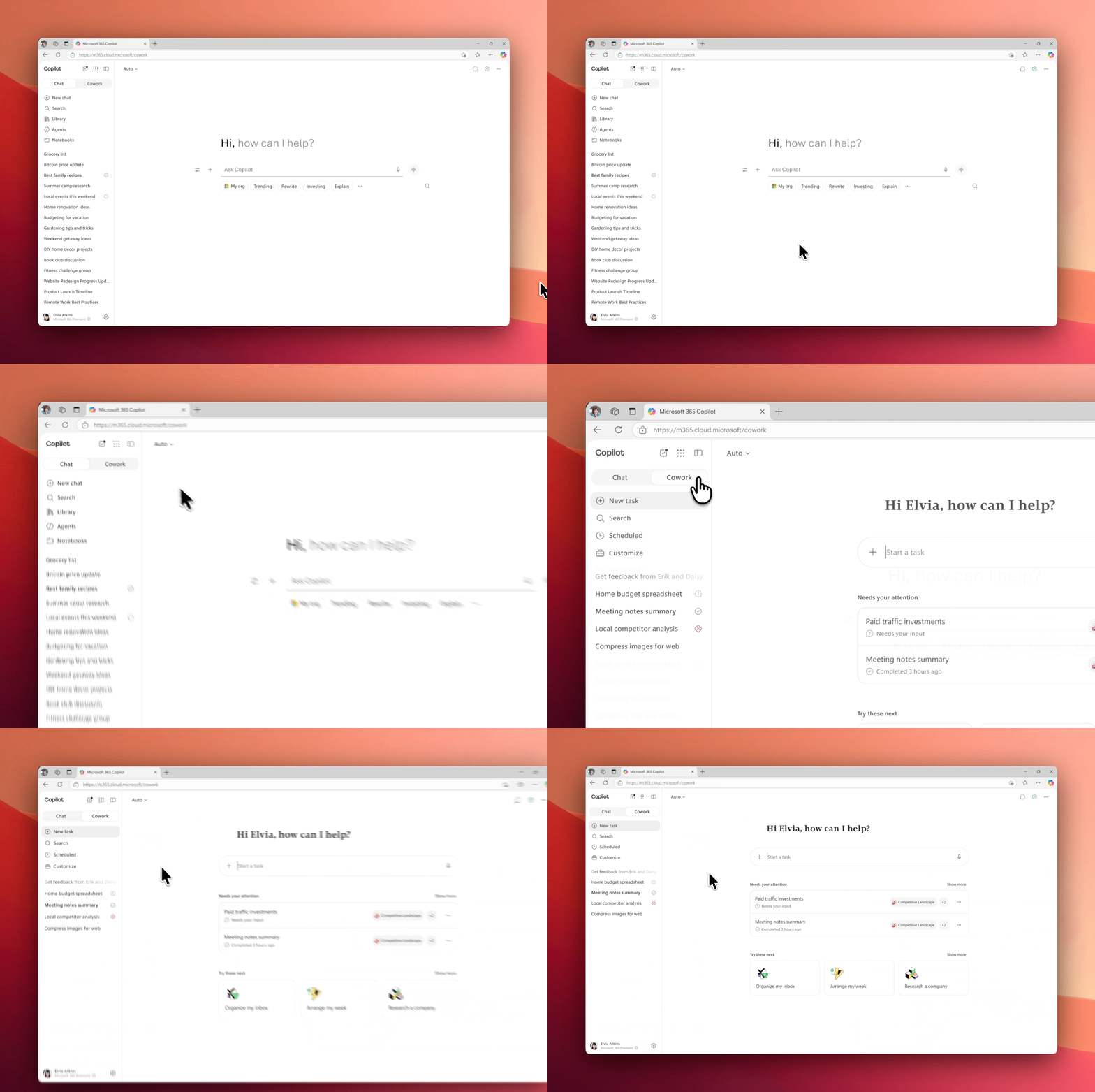
Microsoft’s own animated demonstration puts Cowork beside Chat. Source: Microsoft Adoption. Viewed September 16, 2026; publication and capture dates not supplied. This demonstrates navigation, not a particular organization’s approval process.
That placement matters. To an employee, this looks like another capability in the workplace tool they already use. The natural assumption is that the request button follows the workplace process too.
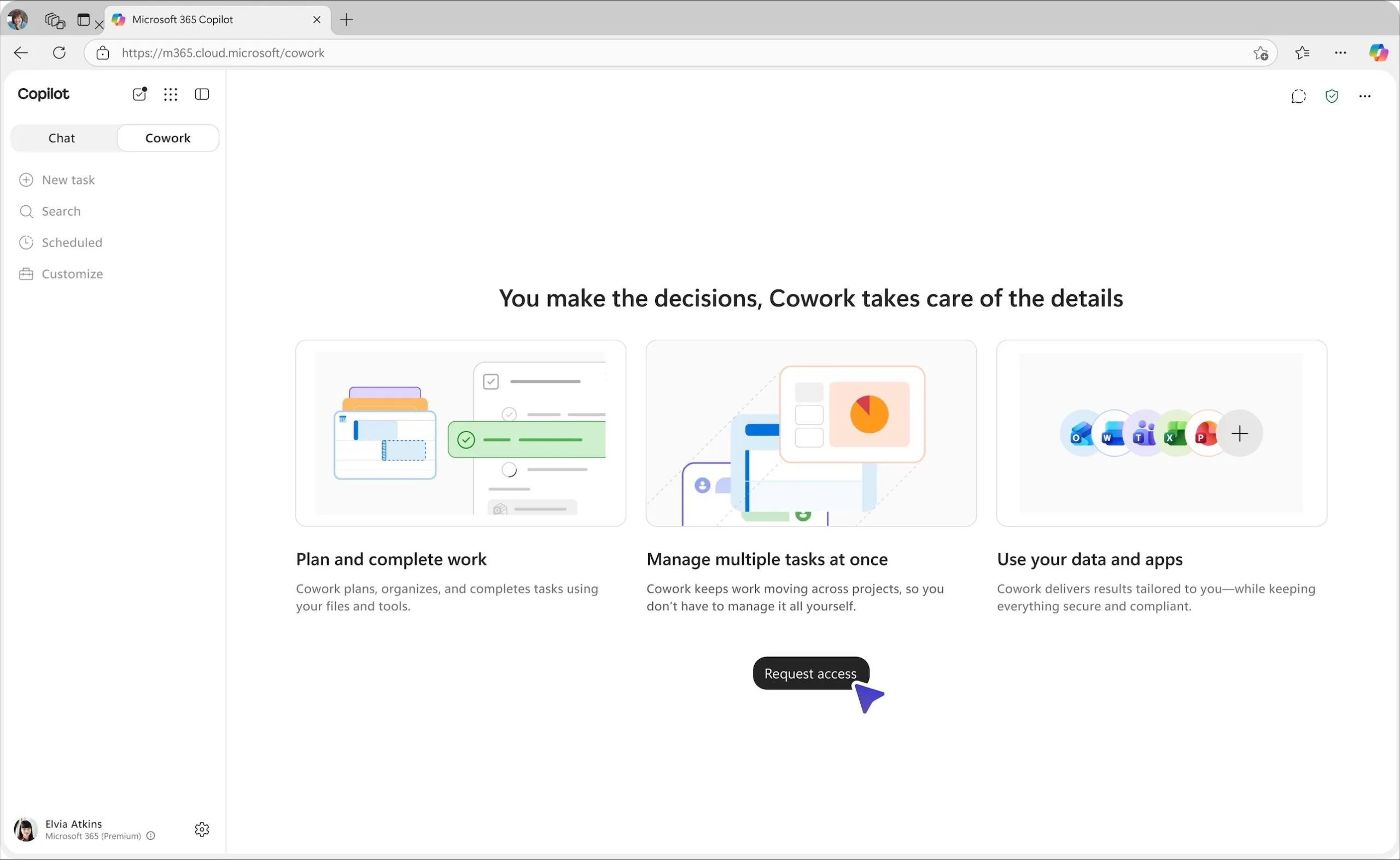
First-time access: Microsoft’s example of what users see when Cowork is discoverable but not enabled for them. This is the “Request access” screen, not the separate “Request more” flow shown when an existing user reaches a credit limit. The screen explains the benefits and offers a request button; it does not identify a named approver or expected turnaround. Source: Microsoft Adoption. Viewed September 16, 2026; exact capture date not supplied. Select either visual to enlarge it.
Two buttons. The same waiting room.
“Request access” appears before you can start. “Request more” appears when you have been using Cowork and reach your usage limit. One employee wants to try the tool. Another wants to finish the work already underway.
Microsoft’s official usage-limit animation. The screen offers a request for more capacity or waiting until the next month. Source: Microsoft Adoption. Viewed September 16, 2026; publication and capture dates not supplied. Microsoft says approval of a request for more credits triggers an in-product and email notification.
That notification is useful once someone approves. It does not answer the employee’s question while they are waiting: who is dealing with this, and when should I expect an answer?
Without a clear owner and a way to follow up, both can feel like a dead end. The employee has done what the official-looking screen asked. Now what?
A queue in the admin center may explain where the request went. It does not help someone staring at an unfinished task, wondering whether to wait, chase IT, or start over without Cowork.
IT has the switch. Who has the authority?
In many organizations, the administrator can enable a tool without being the person who decides who should get it. The department manager may approve the need. Someone else may own the budget. IT implements the decision.
Now imagine a request landing in an admin queue before anyone has agreed who owns that decision. IT cannot simply approve a new expense. The manager may not know a request exists. The employee is waiting because, as far as they know, they already followed the instructions.
From the employee’s side, IT is ignoring them. From IT’s side, nobody authorized the spending. The request sits there, looking increasingly like a rejection nobody bothered to explain.
The request reached a dashboard. That is not the same as reaching someone who owns the decision.
Microsoft supplied the button. Apparently the approval process was sold separately.
The request does have a destination
Microsoft documents the default review route in the Microsoft 365 admin center:
Copilot → Cost Management → Overview → Top Actions → View requests
The Credit requests page includes first-time access and requests for higher spending limits. Organizations can configure custom routing to their own portal or approval workflow, so the route can differ. Microsoft’s request-management instructions
Pending Cowork requests also appear under Copilot → Cowork → Overview, in Top actions for you. Cowork report documentation
Those are places to find the request. Neither tells you who your organization has authorized to approve the expense. Don’t assume the button created a ticket in your usual help desk, notified your manager, or started your department’s purchasing process.
Cowork access now depends on a spending policy that includes the user and selects Cowork. Microsoft says the old Frontier agent control no longer grants access. So this is more than someone remembering to tick a box. Cowork administration guide
Finish the process before advertising the button
For an organization, the fix starts with a person, not another setting. Name the business approver, name the budget owner, and tell IT what decision it is being asked to implement. One person may fill several roles. Someone still has to own the answer.
Give both requests an owner: initial access and additional spending. Then connect the request to that process. Microsoft supports custom request policies that can redirect people to an internal IT portal or another approval workflow. Use that where appropriate, and test one request all the way through. Confirm that the right people receive it and the employee gets an answer.
If you are the employee waiting, ask your normal support contact:
I requested Cowork access on [date] using [work account]. Can you locate the request and tell me who approves the business need and budget? I want to use it for [brief task]. Is there another internal process I need to follow?
You should not have to ask that. But it is more useful than clicking the button again and hoping someone new hears it.
Microsoft, show people where the request is going and how to follow up. Organizations, make sure somebody at the other end can actually make the decision.
If the button looks like an official process, there needs to be an official process behind it.